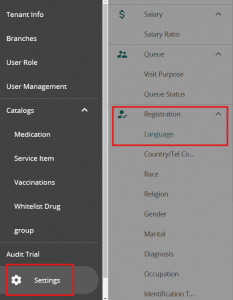
Head to Settings in VandaManager. Click on “language” under “Registration”
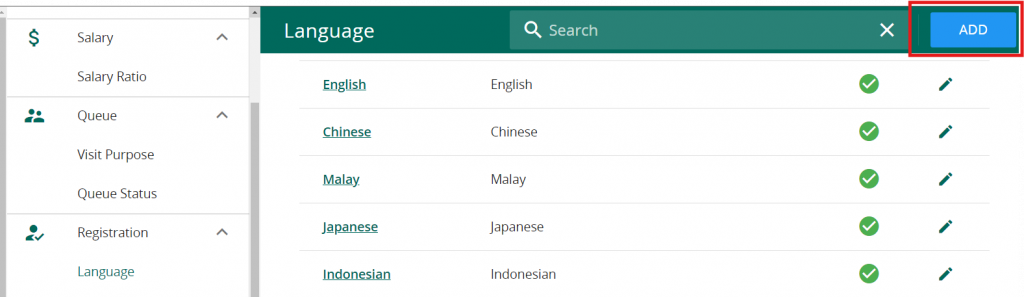
Click on “Add” on the top right corner
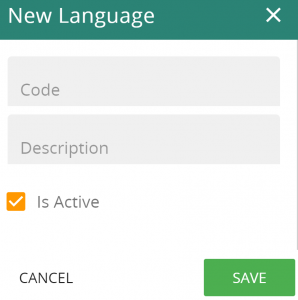
Lastly, Enter the code & Description before saving. Note that the “description” will be displayed.
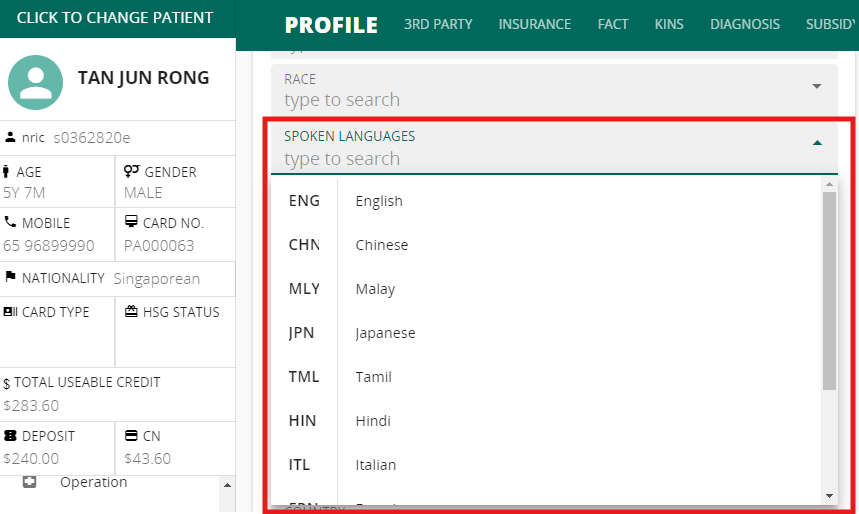
The language can now be selected in patient’s profile