Discover Vanda modules and functions in both Vanda Clinic and Vanda Manager here!
Clinic users can perform basic account features and queue management features such as patient registration, and more.
Clinic users can conduct vision tests and examination for the patient.
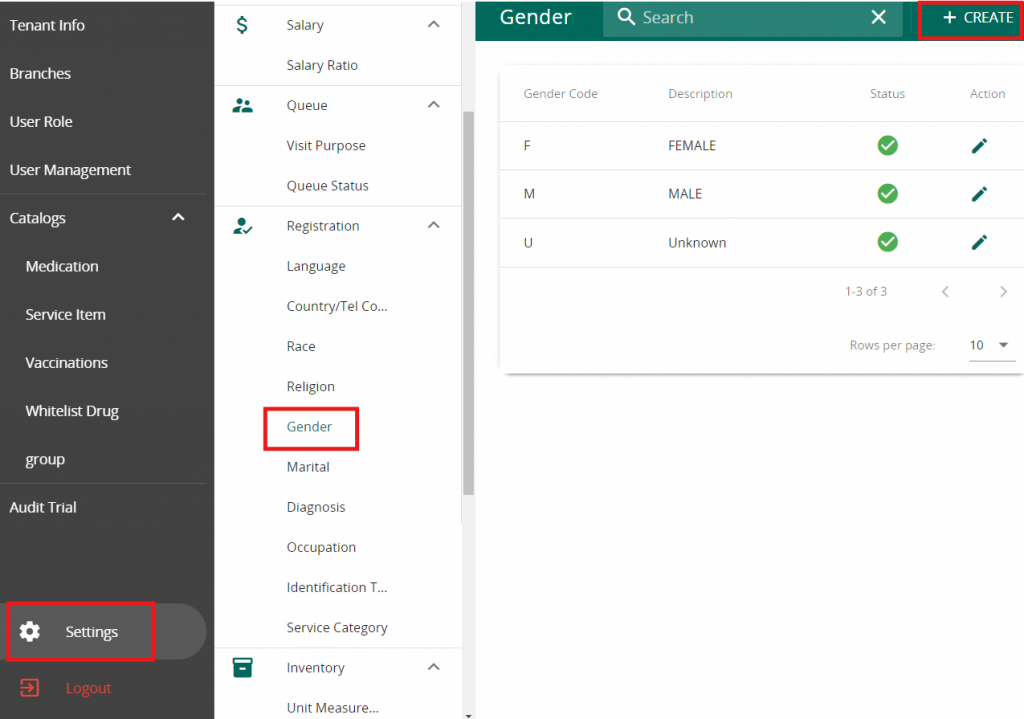
Click on Setting in VandaManager. Click on “Gender” under “Registration”. Press ” + Create ” to add a new Gender
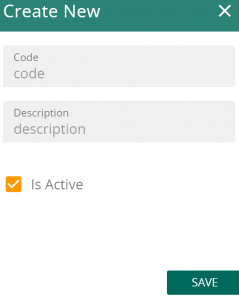
Fill in the Code & Description for your new Gender. Note that Description will be used for patient profile